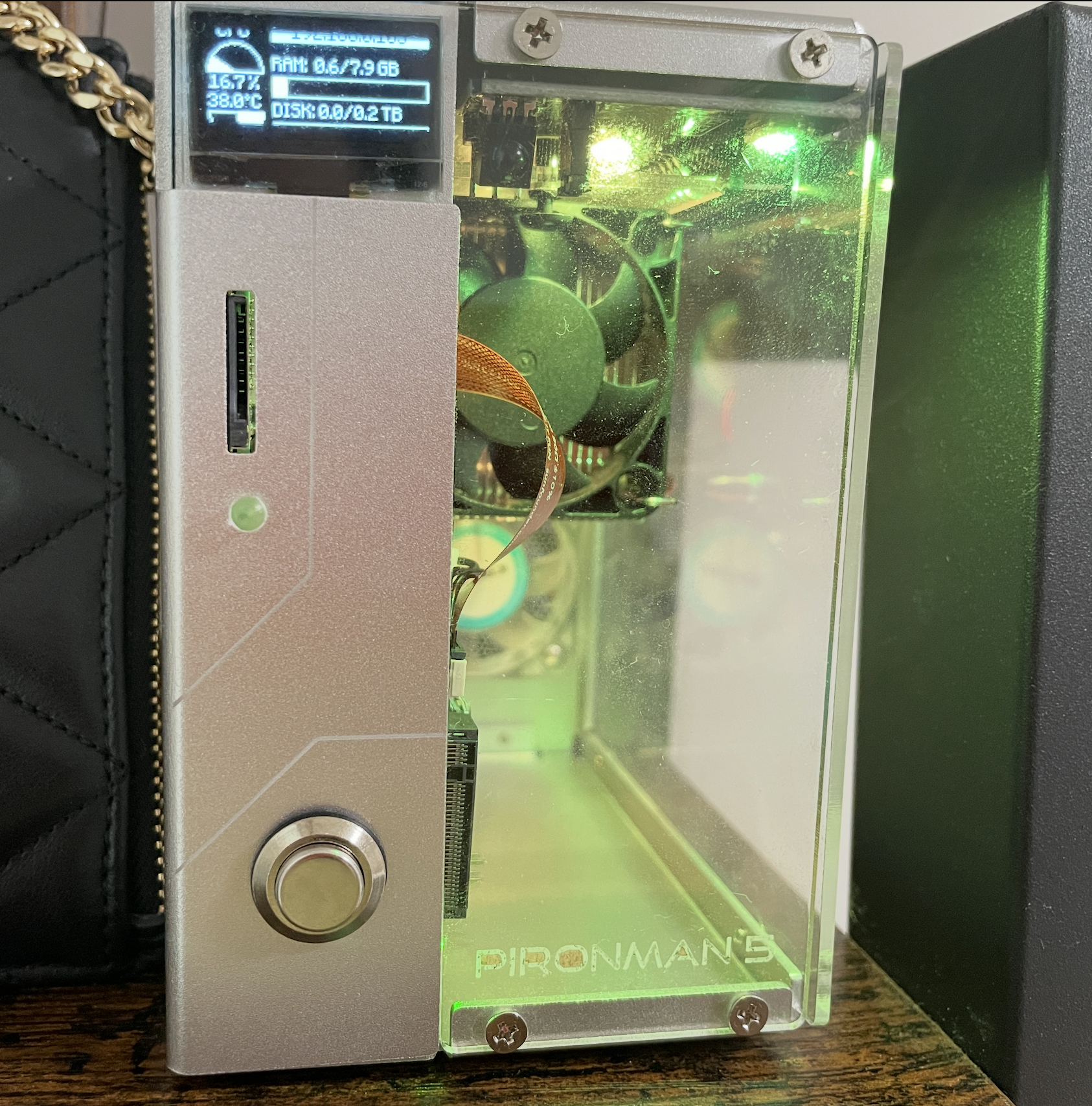
Putting everything together (USB HDMI Adapter + NVMe SSD) for my Pi's new house
Last week, I finally received the replacement for USB / HDMI Adapter from SunFounder, and I also got a NVMe SSD a couple weeks ago. And now, I can complete the full assemble of my Pi's new house.
I bought a cheap Netac m.2 NVMe SSD - the NV3000, an M.2 PCIe Gen 3 x4 SSD with speeds up to 3300MB/s, 3D NAND Flash, HMB, SLC Cache, and 250GG capacity option. Instead of using SATA protcol to connect to motherboard, Non-volatile Memory Express, a storage transfer protocol, connects directly to CPU/GPU via a PCI express, a high-speed peripheral component interconnect express expansion (PCIe) bus that is standard for connecting a computer to one or more peripheral devices.
Last week, I finally received the replacement for USB / HDMI Adpator from SunFounder, and now I can complete the full assemble of Raspberry Pi new house. Slotted in the NV3000 into the NVMe PIP, a PCIe Peripheral Board for the Raspberry Pi 5, designed to connect an NVMe M.2 SSD for faster storage. The acronym "PIP" stands for "PCIe Peripheral Board," and it allows the Raspberry Pi 5 to use the fast data transfer speeds of an NVMe SSD by utilizing its PCIe interface. With everything in their places, this is how it looks!
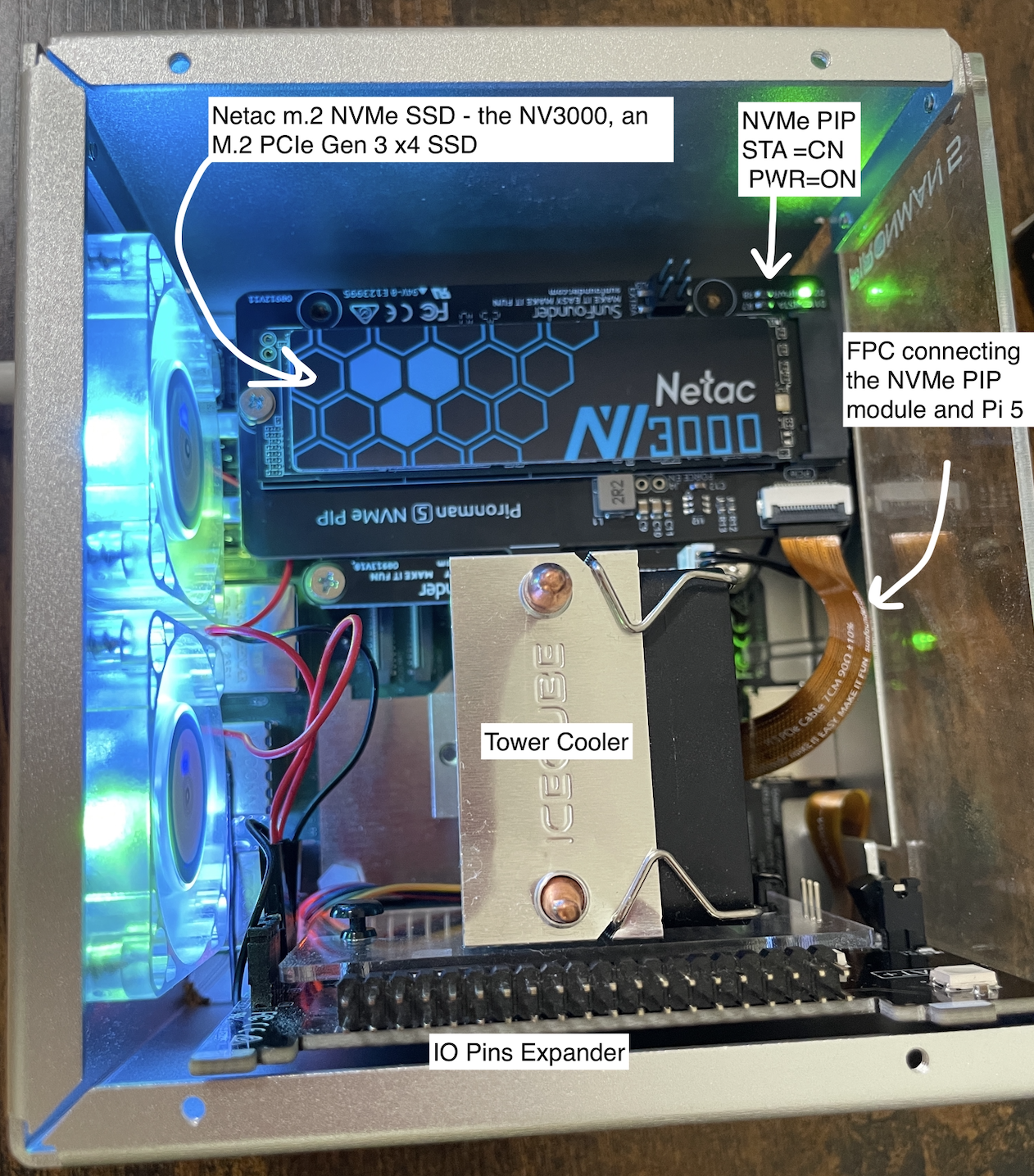
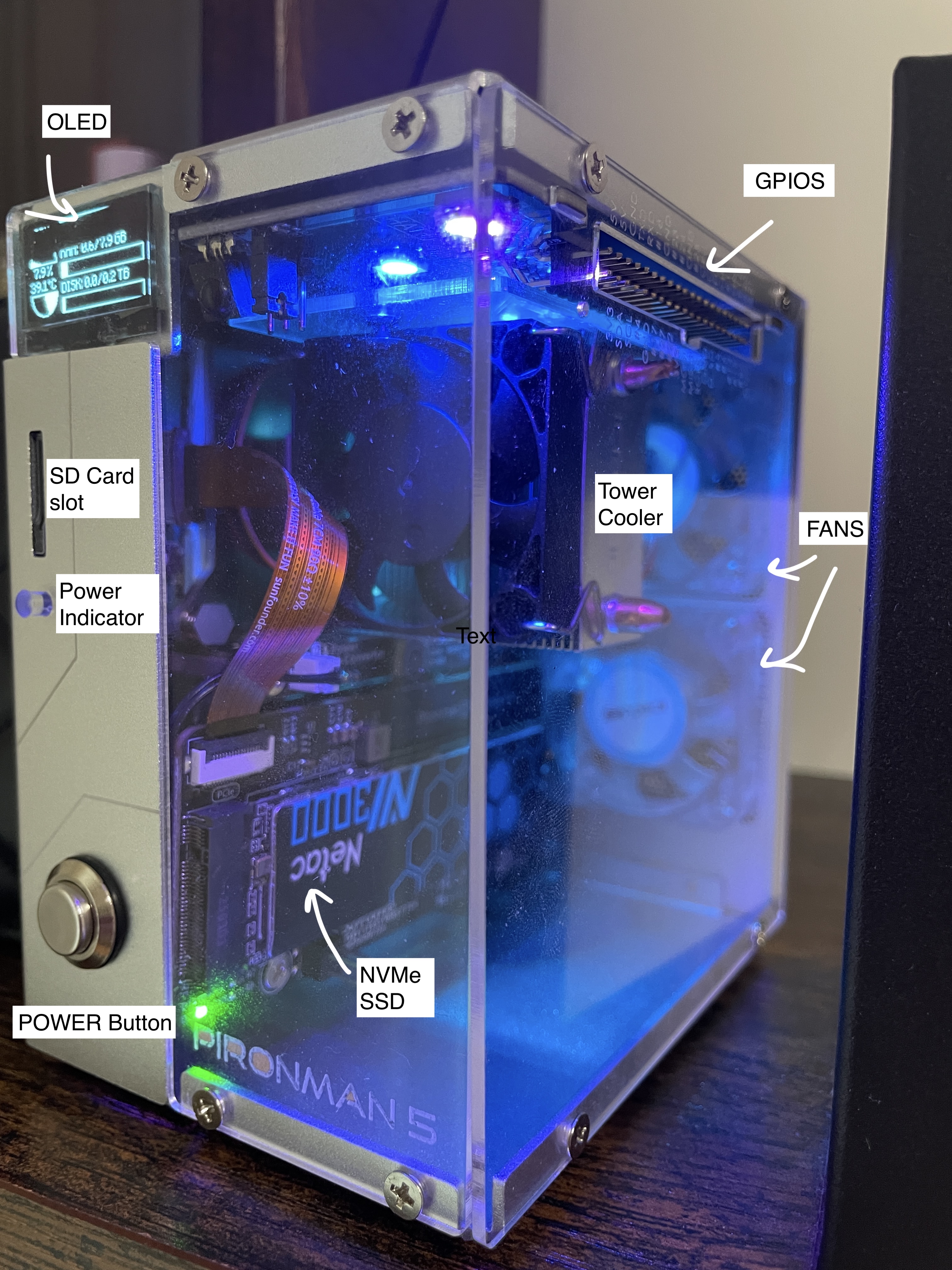
Power on, tunnel into pi5. By default the PCIe connector is not enabled. So, I had to enable it via firmwareconfig file, saved and reboot.
sudo nano /boot/firmware/config.txt

# Enable the PCIe External connector, and Force Gen 3.0 speeds
dtparam=pciex1_gen=3

sudo rebootdmesg | grep -i pcielsblk
NAME MAJ:MIN RM SIZE RO TYPE MOUNTPOINTS
mmcblk0 179:0 0 29.7G 0 disk
├─mmcblk0p1 179:1 0 512M 0 part /boot/firmware
└─mmcblk0p2 179:2 0 29.2G 0 part /
nvme0n1 259:0 0 232.9G 0 disk sudo apt install nvme-cli -y
sudo nvme list
Node Generic SN Model Namespace Usage Format FW Rev
--------------------- --------------------- -------------------- ---------------------------------------- --------- -------------------------- ---------------- --------
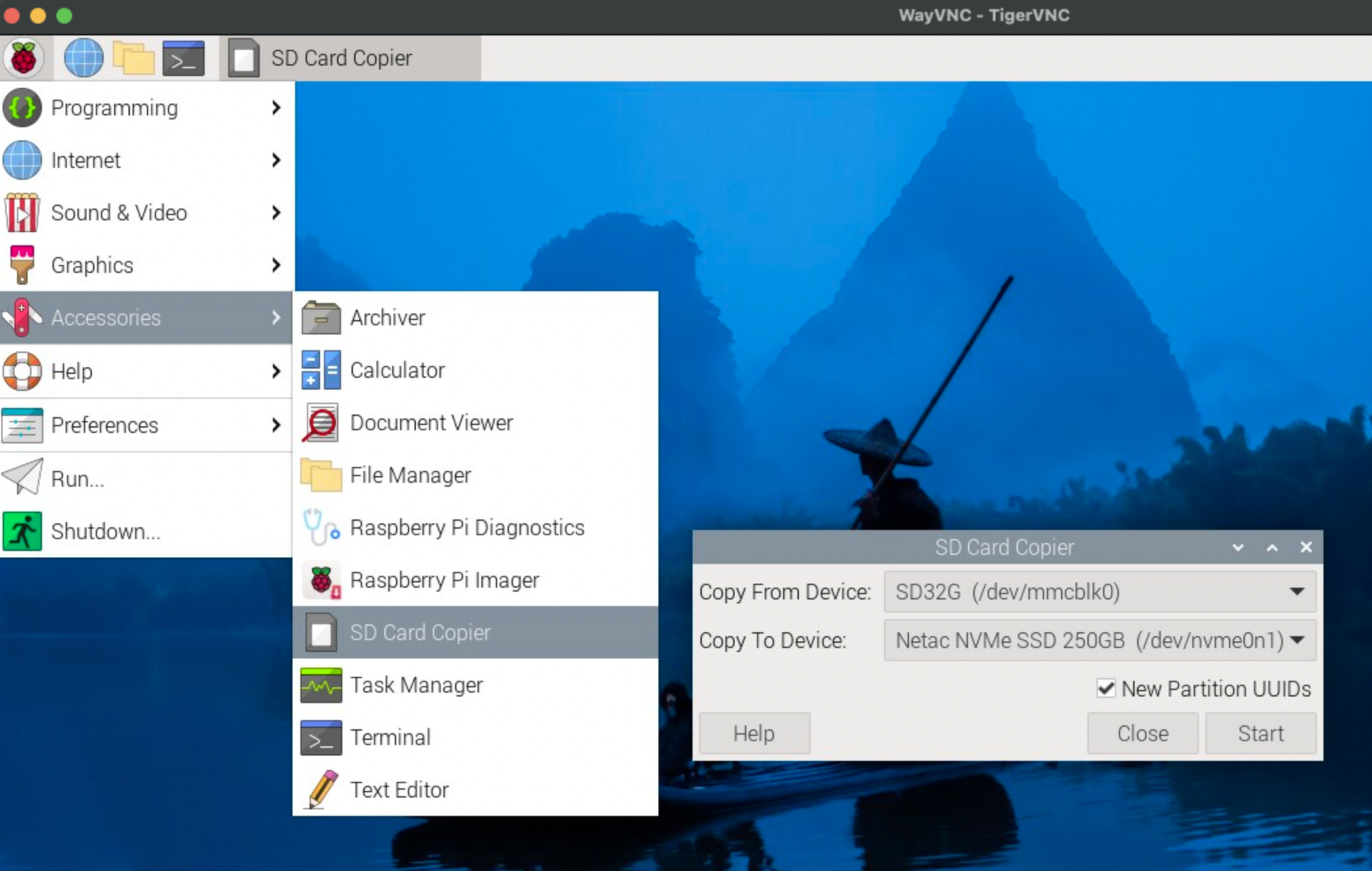
/dev/nvme0n1 /dev/ng0n1 AA20240816250G543210 Netac NVMe SSD 250GB 1 250.06 GB / 250.06 GB 512 B + 0 B H240220aThen, I am going to copy the contents (Kernel, OS, files) from SD Card to NvMe SSD. For that, I can just use the Bookworm's OS utility called 'SD Card Copier'. How convenient!
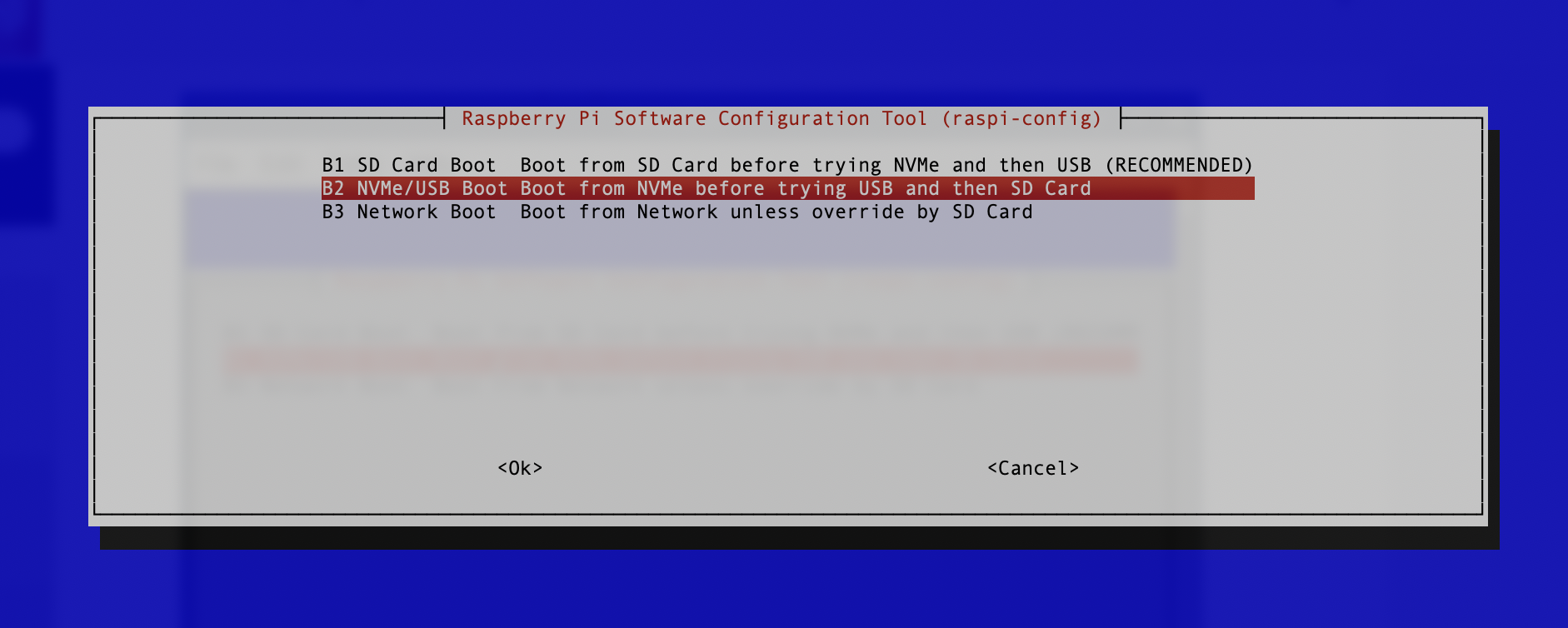
For boots order, I will just leave it as B1 SD Card Boot - Boot from SD Card before trying NVMe and then USB. Because, sometimes, I would want the pi to read from microSD card instead of NVMe. Besides, I can easily take out SD card, but not NVMe, so, it makes sense to setup the boots order that way. Then, I am going to customize the RGB and GPIO fans.
How cute OLED screen is! It shows CPU, RAM, Disk Usage, CPU Temperature, and the Pi’s IP Address. With that, we are done! I get all my apps up & running on NVMe now, next, I am going to brainstorm the ideas for Home Server Applications. Peace-out!